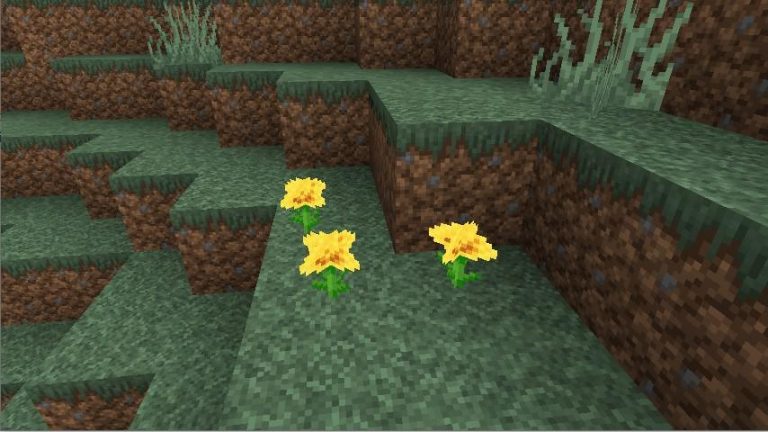
Faithful Texture Pack 32x. While Minecraft’s graphical compartment isn’t exactly the title’s selling point, with its cubic appearance, it’s not bad at all. Most players like the title’s well-defined art style, which at this point has become iconic. All they ask is for the overall game design to be a little more detailed.
This is where the Faithful Resource Pack comes into play. The Faithful 32×32 Resource Pack will improve the resolution of everything in the game, including blocks, enemies and pieces of equipment. You’ll notice these improvements as soon as you install the feature pack, just launch the game and start looking. The faithful 32×32 pack just improves on what’s already in the game and tries to keep the art style and feel of the game world intact.
[twenty20 img1=”100″ img2=”104″ offset=”0.5″ before=”Faithful” after=”Padrão “]
The package is simply an improvement in the quality of textures and shapes of elements already in the game, so don’t expect any major changes or differences from the base game. It focuses on bringing out high-resolution textures and brighter colors, and while it also changes the game’s lighting and shadows, there are more specific mods to improve the game’s shadows and lighting. Look for shader mods if that’s what you’re looking for.
All Faithful 32x Texture Pack does is make the game more enjoyable. It is not a mod and as such does not introduce any new gameplay elements to the base game. All mods you are running should still work fine after installing this texture set. The package author maintains a list of which mods are compatible with the package and which are not. Keep an eye on the list to make sure the feature pack is fully compatible with the mods you’ve currently installed.
Video Faithful Texture Pack 32x
How to install Faithful 32x Texture Pack:
- Download the F8thful texture package from the download section below.
- Launch the game client through the Minecraft launcher.
- From the main menu, click on “Options”.
- In the options menu, click on “Resource Packs…”.
- Click “Open Resource Pack Folder”.
- Move the .zip file you downloaded in step one to the newly opened “resourcepacks” folder.
- Click “Done”.
- Click on “Resource Packs…” again.
- Your package should have appeared in the left window, just hover over it and click the arrow pointing to the right.
- Click “Done” again.
- The pack has now been successfully loaded and is ready to be used in your world!
Download Faithful 32x Texture Pack
Link to the official website:
Download Official Website – External Link
You may also like: