
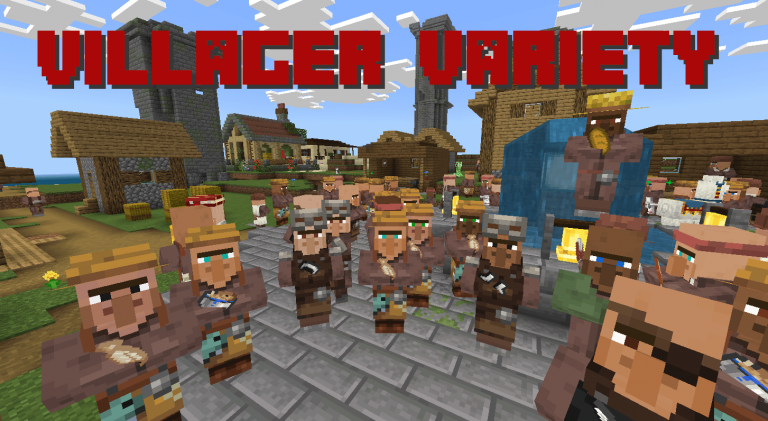
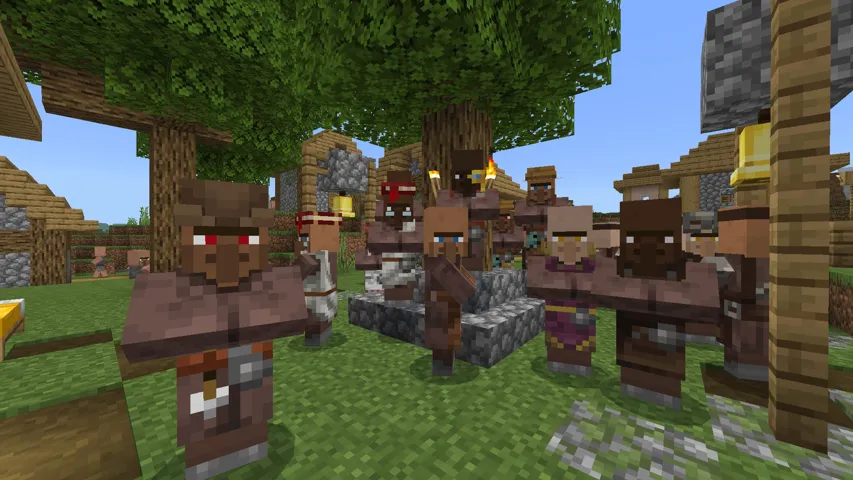
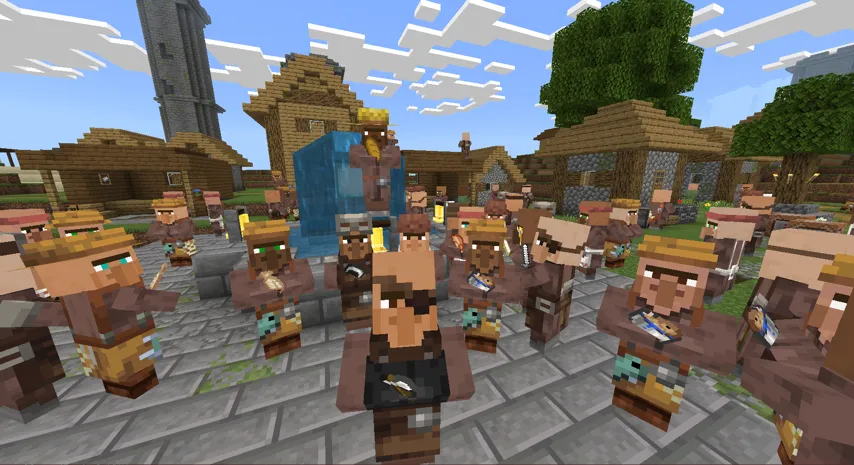
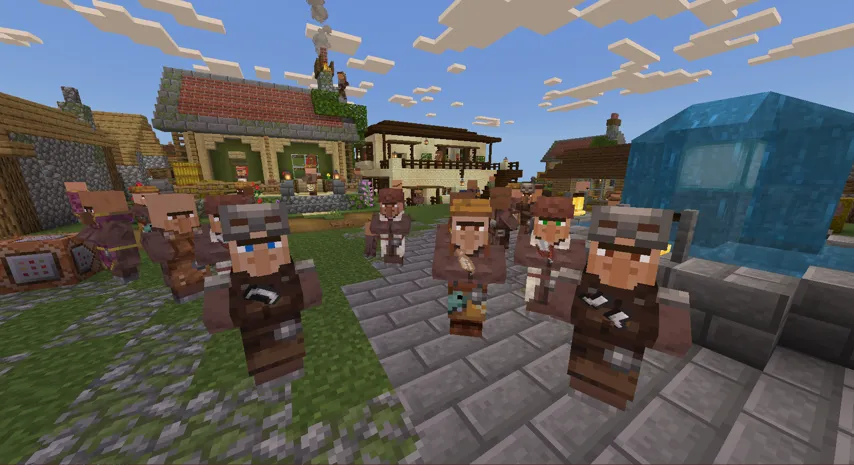
Villager Variety gives Minecraft Bedrock villagers a fresh new look. Instead of every villager looking identical, this addon applies varied skin tones and eye colors — so each villager you meet feels unique. It works for regular villagers, baby villagers and Wandering Traders.
The addon now comes in two versions (both v1.0.3), so you can pick the one that fits your world:
Villager Variety Texture — Resource Pack Only
- Simple installation: just the texture pack — no behavior pack, no scripts.
- 6 skin tones for adult villagers and babies (chosen by the game’s native system).
- 6 eye colors for adults and babies.
- Keeps achievements active — texture packs do not disable achievements.
- Works in any world, including worlds where behavior packs are not allowed.
Villager Variety Script — Behavior Pack + Resource Pack
- A small script rolls the skin and the eyes of each villager individually, independently from each other.
- 16 skin tones — more than double the Texture version.
- 7 eye colors, rolled independently from the skin.
- That means 16 skins × 7 eyes = 112 possible combinations — two villagers with the same skin can have different eye colors.
- The appearance is saved on each villager: it does not change when you reload the world.
- Baby villagers use their own model and eye textures, always in the same color family as the matching adult skin.
- Note: worlds with behavior packs have achievements disabled (Minecraft rule).
What’s New in v1.0.3
Version 1.0.3 brings a complete visual update for baby villagers: they now use their own model with correct baby proportions, their own skin tones and their own eye textures, always matching the color family of the adult skins. The Script version was also upgraded: skin and eye colors are now rolled independently for each villager, for a total of 112 combinations (16 skins × 7 eyes). The Texture version stays a pure Resource Pack with 6 skins and 6 eye colors — and keeps your world’s achievements active.
How to Install the Addon
Always back up your world before installing. Pick only ONE of the two versions — installing both together can cause conflicts.
Texture version (Resource Pack only)
- Download the file below and double-click it to import into Minecraft.
- Open Resource Packs in your world settings and enable Villager Variety Texture.
- Load your world — villagers will show varied skin colors and eyes automatically.
Script version (Behavior Pack + Resource Pack)
- Download the file below and double-click it to import into Minecraft.
- In your world settings, activate both the Behavior Pack and the Resource Pack.
- Load your world — each villager gets a random skin and a random eye color, saved to that villager.
Why You Will Love This Addon
- Every Villager Is Unique: villages feel alive and full of character — no more identical faces everywhere.
- Works Automatically: no setup needed. Just load your world and the variety is applied right away.
- Baby Villagers Included: babies use their own model and textures, in the same color family as the adults.
- Wandering Traders Too: the eye color variety also applies to wandering traders.
- Choose Your Trade-off: achievements + simplicity (Texture) or maximum variety (Script).
Frequently Asked Questions
Does this addon work on Minecraft Bedrock 1.20.40?
The Texture version requires Minecraft Bedrock 1.20.40 or newer. The Script version requires 1.21.0 or newer. Both work on all newer versions.
Do I need to install anything besides the Resource Pack?
For the Texture version: no. It is a Resource Pack only — just activate it in your world’s Resource Packs menu. For the Script version: yes — you need to activate both the Behavior Pack and the Resource Pack in your world settings.
Do achievements still work with this addon?
With the Texture version, yes — texture packs do not disable achievements. With the Script version, no — worlds with behavior packs have achievements disabled by Minecraft.
Can I use both versions at the same time?
No. Use only one version per world — installing both together can cause conflicts.